
Blog / provider setup
Hermes Agent on DigitalOcean: Droplet Setup and Cost
Run Hermes Agent on a DigitalOcean Droplet when you want a developer-friendly VM, explicit networking, predictable billing, and full control of the Docker runtime. Choose a Droplet with enough memory and persistent disk for the gateway, tools, and state; create it with SSH keys; run official Hermes setup against /opt/data; start gateway mode with a restart policy; and add a cloud firewall, backup policy, and tested restore before opening a real channel. DigitalOcean supplies the infrastructure and recovery layers, while Hermes configuration and channel operations remain your responsibility.
- 01
Choose the Droplet plan and region
Match CPU, RAM, SSD, transfer, and monthly cap to the Hermes workload, then select a region that fits latency, privacy, and provider requirements.
- 02
Create a production-ready Droplet
Use an SSH key, a current Linux image, and the provider's recommended initial configuration. Add a cloud firewall before exposing any service.
- 03
Install Hermes with Docker
Run the official image in setup mode with a persistent data directory, configure one model and one channel, and start gateway mode with an explicit tag and restart policy.
- 04
Add monitoring and recovery copies
Enable the backup or snapshot layer that fits the budget, keep a separate application-consistent copy of /opt/data, and record the exact restore procedure.
- 05
Verify the end-to-end workflow
Send a real channel message, inspect logs, restart the Droplet, recall known context, restore the data into a clean test location, and only then expand access.
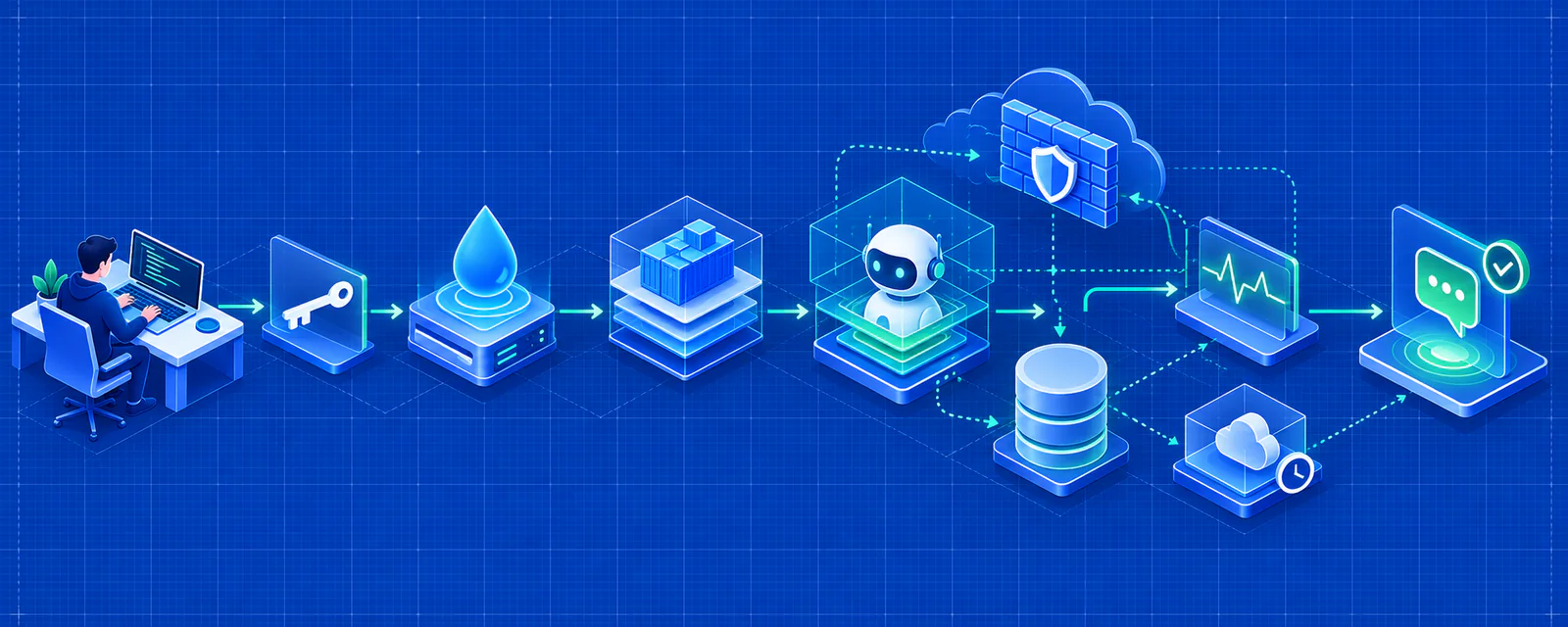
Four-step path
How do you deploy Hermes Agent on a DigitalOcean Droplet?
Create the server from a proven production baseline, keep the application state outside the container, and verify both delivery and restore before adding real users.
- Step 01
Choose the Droplet plan and region
Match CPU, RAM, SSD, transfer, and monthly cap to the Hermes workload, then select a region that fits latency, privacy, and provider requirements.
- Step 02
Create a production-ready Droplet
Use an SSH key, a current Linux image, and the provider's recommended initial configuration. Add a cloud firewall before exposing any service.
- Step 03
Install Hermes with Docker
Run the official image in setup mode with a persistent data directory, configure one model and one channel, and start gateway mode with an explicit tag and restart policy.
- Step 04
Add monitoring and recovery copies
Enable the backup or snapshot layer that fits the budget, keep a separate application-consistent copy of /opt/data, and record the exact restore procedure.
- Step 05
Verify the end-to-end workflow
Send a real channel message, inspect logs, restart the Droplet, recall known context, restore the data into a clean test location, and only then expand access.
Which DigitalOcean Droplet should Hermes Agent use?
Choose a Droplet from measured memory, disk, and tool usage rather than the marketing category: a small private gateway can use a basic plan, while sustained browser work or concurrent profiles need more headroom or dedicated CPU.
Review the current Droplet pricing table because prices and plan families change. DigitalOcean currently lists basic Droplets from $4 per month, with a 2 GB, 1 vCPU, 50 GB SSD option at $12 per month, but capacity and prices should be confirmed in the live console. Those figures are planning inputs, not a promise that the smallest viable plan fits every Hermes tool.
Do not buy a larger Droplet solely for local model inference without checking the model's memory, CPU, and storage requirements. Most managed Hermes deployments call an external model provider; local inference is a separate architecture and cost decision.
Use a two-stage sizing test instead of guessing from the plan label. First run a private conversation with the intended model and channel for a normal day. Then run the slowest browser task, largest document workflow, and highest expected concurrency while watching memory, CPU, disk, and swap. If steady-state memory is already close to the plan limit, choose the next size before adding schedules or users. DigitalOcean's monthly cap makes this easier to budget, but scaling a server does not automatically migrate application state or prove that Hermes can recover from a failed resize.
- The live Hermes runtime, model requests, logs, and one active tool flow determine the memory baseline.
- Browser automation can create memory and temporary disk spikes beyond an idle gateway.
- Persistent sessions, memories, skills, backups, images, and logs all consume disk.
- Shared CPU can be appropriate for bursty personal work; sustained or latency-sensitive workloads may justify dedicated CPU.
- DigitalOcean's monthly cap makes bundled Droplet pricing easier to budget, but backups, snapshots, and storage remain separate line items.
How do you create a production-ready DigitalOcean Droplet?
Start with DigitalOcean's recommended baseline: upload an SSH key, create the Droplet with a supported Linux image, add a cloud firewall, and test administrative access before installing Hermes.
Use SSH keys rather than a root password sent through chat or stored in a document. Confirm the image and region, label the Droplet with the Hermes environment and owner, and record the exact monthly configuration. For a managed application, begin with an image you can patch and operate rather than adding an unrelated control panel.
Create the firewall boundary before a public service exists. Permit SSH from your administrative network and add only the inbound rules the chosen Hermes interface requires. If chat channels use outbound connections, do not expose an API or dashboard merely to make the deployment look complete.
DigitalOcean cloud-init or user data can standardize non-secret bootstrap tasks such as package updates, a monitoring agent, and directory creation, but do not place model keys or channel tokens in user data where they may remain visible in cloud metadata and logs. Keep secrets in a runtime store, record the image and Droplet configuration, and make administrative access reproducible before installing the application. A server created manually and undocumented is harder to rebuild than a Droplet whose network, labels, disk, and recovery settings are known.
How do you install Hermes Agent with Docker on DigitalOcean?
Install Docker on the Droplet, mount a durable host directory at /opt/data, complete Hermes setup, and run the official image in gateway mode with the same volume and a restart policy.
The container is replaceable; the mounted data directory is not. Keep configuration, sessions, memories, skills, schedules, hooks, and logs on persistent storage. Use a supported native Linux filesystem for the SQLite state database, and do not run multiple gateway containers against the same directory.
Pin the image for repeatability and keep the previous tag for rollback. After an upgrade, inspect migration and channel logs, then test the same conversation path that matters in production. A healthy container without an effective reply is not a healthy Hermes deployment.
How should you secure a Hermes Droplet?
Use SSH keys, a cloud firewall, a patched host, restricted secrets, and a private path for dashboards or APIs; a Droplet's isolation does not remove application-level security responsibilities.
DigitalOcean Cloud Firewalls control network reachability, not who can use an exposed Hermes session. Add application authentication and an intentional access model before opening a management surface. Review provider and channel data flows separately if the agent handles private business content.
Store the deployment owner, secret rotation procedure, public ports, firewall rules, and recovery contact with the project. That information is necessary when the person who first configured the Droplet is unavailable.
- Limit SSH by source network where possible and remove unused public services.
- Keep model keys and channel tokens out of shell history, images, screenshots, and Git.
- Use a dedicated bot identity and grant only the Telegram, Discord, or WhatsApp permissions the workflow needs.
- Protect dashboards and APIs with authentication and a tunnel, VPN, or trusted proxy.
- Monitor authentication failures, disk use, provider errors, channel disconnects, and restart loops.
How do you back up and restore Hermes Agent on DigitalOcean?
Use snapshots or Droplet backups for infrastructure recovery and a separate application-consistent copy of /opt/data for portable restoration; test both paths before a failure.
A snapshot captures the server image and is useful when the entire Droplet disk must be recovered. It is not a substitute for understanding Hermes state. Back up the data directory while writes are stopped, verify the archive, and restore it onto a clean Docker host with the recorded image tag.
DigitalOcean currently prices snapshots separately and offers backup policies based on Droplet cost, so confirm current billing and retention in the console. A backup you have never restored is only a hypothesis. The acceptance test is a working Hermes runtime with recalled context and a real message after restoration.
When is DigitalOcean better than managed Hermes hosting?
DigitalOcean is the better fit when infrastructure control and developer tooling are the point; managed Hermes is better when the team wants the assistant without owning Droplets, Docker, patching, backups, and channel recovery.
A Droplet gives you a familiar VM, predictable monthly caps, cloud firewalls, snapshots, monitoring, and the freedom to run supporting services. It also gives you every operational task attached to those capabilities. Choose it for control, portability, or custom infrastructure, not because the base price is the only cost.
Managed Hermes hosting replaces the infrastructure workflow with a guided model, channel, and deployment path. It is the simpler choice when the desired outcome is a working Telegram, Discord, or WhatsApp assistant and server administration is not part of the product.
Which primary sources support this page?
Product behavior is checked against the current deployment flow. These external links provide the upstream project or channel documentation used for setup details.
Direct answers
Frequently asked questions
Can Hermes Agent run on a $4 DigitalOcean Droplet?
That plan has only 512 MiB of RAM and 10 GiB of disk. It is not a sensible production baseline for an always-on Hermes assistant with tools and persistent state. Use measured workload requirements and leave recovery headroom.
Does DigitalOcean offer managed Hermes Agent hosting?
A Droplet is infrastructure. Unless the exact current product and support terms state otherwise, you remain responsible for Hermes installation, configuration, updates, channels, and application backup.
Should I use a Droplet snapshot as the only Hermes backup?
No. Snapshots are useful for whole-server recovery, but keep an application-consistent copy of the persistent Hermes data directory and test a portable restore.
Do I need a public IP address for Hermes Agent?
Not necessarily. Chat-only deployments may only need outbound connectivity. Use a public IP and inbound firewall rule only when an approved dashboard, API, or integration requires it.
Can I migrate the Droplet to another VPS provider later?
Yes, if you keep a portable backup of the Hermes data directory, record the image and configuration, and verify the restore on the destination before removing the original Droplet.
Key takeaways
- Run Hermes Agent on a DigitalOcean Droplet when you want a developer-friendly VM, explicit networking, predictable billing, and full control of the Docker runtime. Choose a Droplet with enough memory and persistent disk for the gateway, tools, and state; create it with SSH keys; run official Hermes setup against /opt/data; start gateway mode with a restart policy; and add a cloud firewall, backup policy, and tested restore before opening a real channel. DigitalOcean supplies the infrastructure and recovery layers, while Hermes configuration and channel operations remain your responsibility.
- Start with one model, one channel, and one controlled test conversation.
- Use managed hosting when deployment speed matters more than operating the server yourself.
Continue the setup
Related Hermes Agent guides
Blog guide
Best VPS for Hermes Agent: Specs, Cost & Providers
Find the best VPS for Hermes Agent by CPU, RAM, disk, providers, persistence, uptime, cost, and managed alternatives.
Read nextBlog guide
Hermes Agent VPS Requirements: CPU, RAM & Disk
Plan CPU, RAM, disk, Linux, and Docker for Hermes Agent. Compare a small personal bot with browser, cron, and team workloads.
Read nextBlog guide
How to Deploy Hermes Agent with Docker and Docker Compose
Deploy Hermes Agent with Docker Compose, keep state and skills persistent, verify the gateway, and upgrade containers without losing memory.
Read nextBlog guide
Hermes Agent on IONOS VPS: One-Click Install and Sizing
Deploy Hermes Agent on an IONOS VPS with one-click setup or Docker. Compare sizing, renewal costs, persistence, security, and recovery.
Read nextBlog guide
Hermes Agent on Contabo VPS: Setup, Specs and Cost
Deploy Hermes Agent on a Contabo VPS with the control-panel installer or Docker. Compare RAM value, storage, backups, security, and recovery.
Read nextUse case
Managed vs Self-Hosted Hermes Agent: Which Fits?
Compare managed and self-hosted Hermes Agent by setup time, control, cost, security, channels, and ongoing operations before you deploy.
Read next